RadarScope
Telvent DTN, LLCWeather
3.92.79K Reviews
- Version
- Varies With Device
- Installs
- 100.00K
- Age Rating
- Everyone
Screenshots
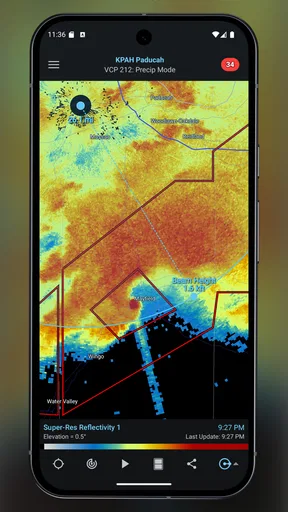
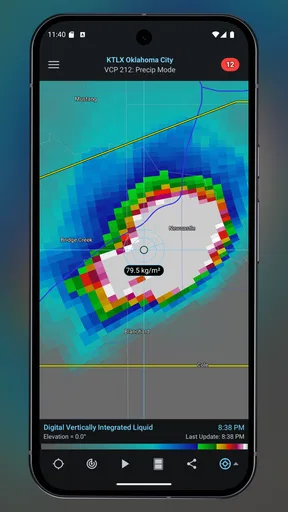
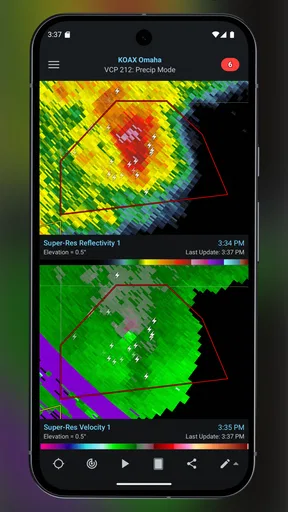
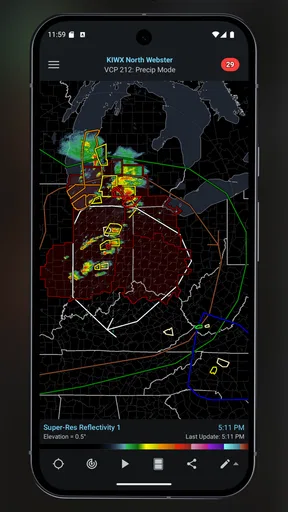
Our Review of RadarScope
 Analysis by Appyee
When severe weather is nearby, a household often needs more than one person checking the sky. Someone may be deciding whether to bring in patio furniture, another may be driving home, and a child may be asking if an outdoor activity is still on. I find RadarScope most useful in that shared moment: it gives a curious family member a detailed radar view to discuss, rather than asking everyone to interpret a vague chance-of-rain icon. It is a paid weather app from Telvent DTN, LLC, aimed at people who want to inspect radar rather than simply glance at a daily forecast.
One radar view, several household decisions
A practical way to use it together is to treat the map as evidence for a decision, not as a promise about exactly what will happen at your address. If one person checks the radar before a walk and another checks again before leaving, the household can compare what has changed and decide whether to go, wait, or take a different route. That works especially well when a storm is close enough for its movement to matter, but less well when everyone wants a simple answer about the whole day.
For example, imagine dinner is nearly ready and a family member is still driving home through unsettled weather. I would check the radar, look at the nearby storm structure, and share what I can actually see: whether precipitation is approaching the area or moving away. I would not turn a detailed image into a claim that a particular street is safe. Radar is a tool for understanding conditions over an area, not a substitute for local warnings, official instructions, or judgment on the ground.
Keep shared use simple and deliberate
On a shared phone or tablet, the main boundary is practical: whoever opens the app is the person interpreting what is on screen. I would agree in advance which household member checks it during a storm and how they pass on the useful part, rather than expecting everyone to keep watching the map. A short message such as “the band is nearing us; let’s postpone the walk” is easier to act on than a screenshot with no context.
The app’s detailed radar view can invite people to explore, but more layers are not automatically more helpful for everyone. If another person in the household is unfamiliar with radar, start with the plainest view and explain what you are looking at before switching products. That small habit makes the map easier to discuss and reduces the chance that a striking color or pattern will be mistaken for a direct warning.
It is also worth keeping the app’s role clear: it helps someone examine weather information, while household communication is up to the people using it. I would not assume that installing it on one device automatically coordinates everyone else’s plans. For a family, a useful routine is to name one person as the checker, agree how urgent information will be shared, and use official alerts and instructions alongside radar when conditions become dangerous.
Getting Started with RadarScope
First things first, RadarScope is available for both Android and iOS, and installing it is a breeze. Just head over to your app store, download, and voila, you’re ready to explore. The app isn’t free, but think of it as a small investment in your weather awareness. It’s built for those who want more than just a simple weather forecast. We’re talking about real-time radar data, folks! And not just any radar data, but the same data that meteorologists rely on.
User Interface and Experience
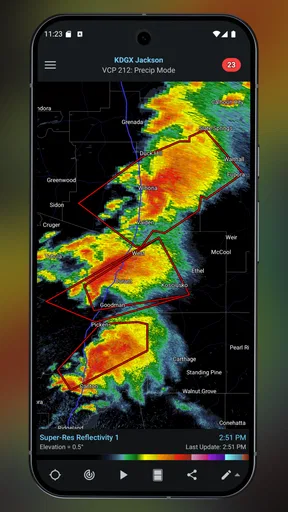
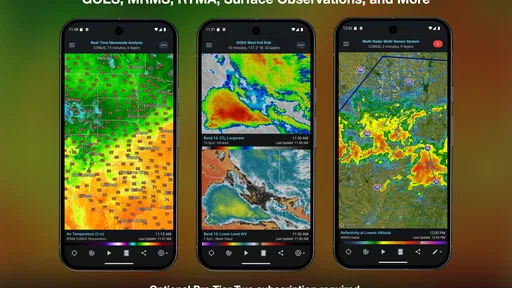
The first thing you’ll notice about RadarScope is its sleek interface. It’s clean, intuitive, and doesn’t overwhelm you with too many features at once. The main screen presents a radar map, which you can zoom in and out of with ease. The app supports pinch-to-zoom and swipe gestures, making navigation feel natural and fluid. Whether you’re a seasoned storm chaser or just curious about the weather, you’ll feel right at home.
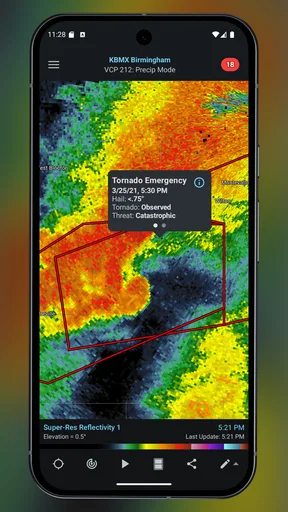
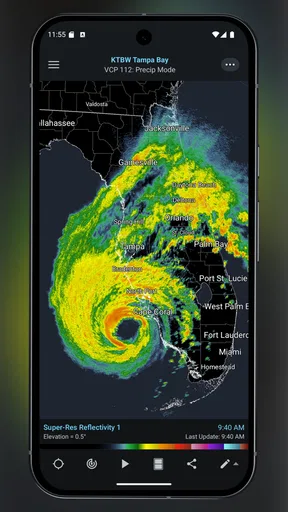
What’s really cool is the level of detail you get. You can choose different radar products like reflectivity, velocity, and dual-polarization. Each option gives you a unique insight into what’s happening in the atmosphere. And if you’re into color codes and patterns, you’re in for a treat. RadarScope displays everything in vivid detail, making it easy to interpret the data.
Features That Stand Out
Now, let’s talk features. RadarScope isn’t just about pretty maps. It offers:
- Real-time Data: Access to NEXRAD Level 3 and Super-Resolution radar data from the United States.
- Severe Weather Alerts: Stay informed with notifications about tornadoes, severe thunderstorms, and flash floods.
- Advanced Tools: Options like storm attributes and hail size estimation provide deeper insights.
- Customizable Settings: Tailor your experience with adjustable color schemes and data overlays.
One of my favorite features is the ability to view archived data. It’s like having a time machine for weather events. You can look back at past storms and analyze how they developed, which is pretty fascinating if you ask me.
Reading radar without overreading it
A useful habit is to compare successive views rather than judging a storm from one still image. A single frame can show where precipitation is, but checking how the pattern changes helps you reason about its movement. That is a more grounded way to use radar for a commute or a quick outdoor decision than treating one bright patch as a precise forecast for your front door.
The different products also reward a little patience. Reflectivity is a natural starting point for seeing precipitation patterns; velocity and dual-polarization offer other perspectives that can be valuable to someone who knows what to look for. If those views feel cryptic at first, there is no need to use every option. I would learn one display at a time, and only add another when it answers a specific question.
Archived radar has a different kind of value from live monitoring. It lets a student, teacher, or weather hobbyist revisit how a system evolved without the pressure of making an immediate decision. A useful exercise is to pause at a few points in an event and describe what changed, then compare that with the next image. It turns a dramatic map into a lesson in patterns and timing, rather than a collection of colors.
Performance and Reliability
When it comes to performance, RadarScope doesn’t disappoint. The app is fast, responsive, and reliable. I’ve used it during heavy storms, and it never lags or freezes. The data updates quickly, ensuring you have the most accurate information at your fingertips. The only thing you really need is a decent internet connection to make the most of it.
Battery consumption is surprisingly efficient, considering the app handles a significant amount of data. You can easily use it for extended periods without worrying about draining your battery too quickly.
What to expect when conditions change
Even a responsive radar app depends on a working connection to deliver useful live information. If service is poor, a detailed map may be less helpful precisely when you want to check it. I would look at conditions before heading into a low-signal area and avoid making a safety decision depend on continuous access to one screen. Keeping official local alerts in your routine gives you another way to receive important information.
There is also a difference between having detailed data and having a straightforward forecast. A radar display can help you inspect what is happening, but it is not the easiest choice when your only question is whether to pack an umbrella for the afternoon. For that everyday glance, a conventional weather app with a forecast-led home screen is likely quicker. The trade-off is that such apps often ask you to accept a summary, while this one is for people who want to examine the radar themselves.
Who’s It For?
While RadarScope is perfect for weather geeks and professionals, it’s also great for anyone who wants to stay informed during severe weather. Whether you’re planning a trip, organizing an outdoor event, or just want to know when it’s safe to walk the dog, RadarScope has your back. It’s like having a personal weather station wherever you go.
For educators and students, it’s an excellent tool for learning about meteorology. The detailed radar images and data can enhance understanding and make weather lessons more engaging.
Who benefits most, and who may prefer something simpler
I would recommend this app to people who regularly check storms, enjoy interpreting radar, teach or study weather, or need a closer look than a basic forecast offers. It is especially useful when the question is about a developing precipitation area and its changing shape, rather than a general overview of tomorrow’s conditions. The US radar coverage described in the app’s tools is also relevant to deciding whether it fits your needs; people looking for radar focused on another region should check that the coverage serves their location before paying.
By contrast, I would skip it if you want a free, uncomplicated forecast, dislike interpreting maps, or only open a weather app to check temperature and a brief rain summary. The app costs $9.99, so the decision makes most sense when you expect to use its specialist radar view. It has in-app purchases ranging from $0.99 to $99.99 per item, another reason to review purchase choices carefully rather than assuming the initial price covers every optional item.
The app is rated for Everyone, and its age rating is only one part of a household decision. A younger user can still find technical radar images confusing, so I would explain the difference between a display and an official warning before handing over the device during a storm. For a child who only needs a simple “rain or no rain” answer, an adult-led check or a more basic forecast may be a better fit.
Cost, familiarity, and household expectations
With an average rating of 3.9 from around 6,200 ratings, it has a mixed enough reception that I would treat it as a specialist purchase, not an automatic choice for every phone. It has passed 100,000 installs, but popularity alone does not settle whether its detailed presentation suits your household. The key question is whether someone at home will actually use the radar products and tools, rather than merely wanting a quick forecast.
Telvent DTN, LLC is the developer, and the app has been available since August 24, 2011, with a minimum operating system requirement of 11. That history and platform requirement matter when choosing a device for shared use: check compatibility on the phone or tablet you plan to use, especially if it is older. I would also make sure the person who pays understands the initial cost and any optional in-app purchases before another household member uses the device.
For coordination, decide what the household wants from a weather check before a storm arrives. One person can monitor the radar while everyone else focuses on practical preparations, then relay a plain-language summary. That division of effort is more useful than asking every person to interpret technical products at once, and it keeps the app in its strongest role: a detailed source for the person who wants to inspect conditions.
Final Thoughts
All in all, RadarScope is more than just a weather app; it’s a powerful tool for anyone interested in understanding the dynamics of weather. Its combination of real-time data, detailed insights, and user-friendly interface makes it stand out from the crowd. So, if you’re ready to take your weather-watching to the next level, give it a try. Trust me, you won’t be disappointed!
My household verdict is that this is best as a shared reference for one or two people who enjoy reading radar, not as the single weather app everyone must learn. I would pair it with clear communication and trusted local alerts, and choose a simpler forecast app for family members who only want a fast daily answer. If your household values the ability to inspect storm data and is comfortable with the price, it can earn its place; if not, its depth may feel like work rather than help.
Verdict
Strengths of RadarScope
- Detailed weather radar data available.
- Customizable display options.
- Real-time storm tracking.
- Advanced features for meteorologists.
- Reliable and accurate forecasts.
Limitations of RadarScope
- Steep learning curve for beginners.
- Subscription needed for full features.
- High data usage on mobile networks.
- Limited support for non-experts.
- Interface can be overwhelming.
Similar Picks in This Category
View All
Weather - By Xiaomi
Xiaomi Inc.4.1

Weather & Radar Forecast
WetterOnline4.8

Weather
OneLouder Apps4.6

AccuWeather: Weather Radar
AccuWeather3.6

The Weather Channel - Radar
The Weather Channel4.6

1Weather Forecasts & Radar
OneLouder Apps4.3
Frequently Asked Questions
What is RadarScope, and who is it for?
RadarScope is a specialized weather app designed for meteorologists, storm chasers, and weather enthusiasts. It provides high-resolution radar data and displays NEXRAD Level 3 radar products. The app is perfect for those who need detailed radar data to track severe weather conditions accurately and in real-time.
What features does RadarScope offer?
RadarScope offers a range of features including real-time radar data, super-resolution data, and the ability to display tornado, thunderstorm, and flash flood warnings. Users can access data from over 150 different radar sites across the United States, Canada, and other countries, making it a comprehensive tool for weather tracking.
Is RadarScope free to use?
RadarScope is a paid app, with a one-time purchase required to download it. Additionally, there are optional subscription tiers, such as RadarScope Pro, which offer advanced features like dual-pane mode, lightning data, and extended loops. These subscriptions provide enhanced functionality for those requiring more detailed weather data.
How accurate is the data provided by RadarScope?
RadarScope provides highly accurate, real-time weather data directly from the National Weather Service and other meteorological sources. The app uses NEXRAD Level 3 data, ensuring users receive precise and reliable information. However, users should always verify the app’s data with official weather advisories during severe weather conditions.
Can RadarScope be used internationally?
Yes, RadarScope can be used internationally. While its primary focus is on the United States and Canada, the app includes data from some international radar sites. Users outside of North America can still access radar data if their region is covered, but the availability of specific features may vary.
